iOS · iPad · RSS reader

Kanso RSS

Kanso RSS

Calm native RSS reader for iOS. Feed discovery, Quiet Focus reading, and PencilKit notes on articles.

Download on the App Store

The pace

Reading without the noise

RSS (Really Simple Syndication) is a quiet way to follow websites and blogs: you subscribe to a feed, and new articles come to you without an algorithm or a timeline. The format has been around since the late 1990s, roughly 25+ years of open web reading that still works.

RSS works best when it stays quiet. Kanso is a paper-like reader with feed discovery, Quiet Focus, and handwritten notes when an article matters. Local-first with SwiftData, then optional extras through Kanso Plus.

Capabilities

What you can do

A calm reading stack for people who still want feeds, not timelines.

Read

01

Feed discovery

Paste a URL and find feeds quickly.

02

Clean reader

Paper-like reading layout for long articles.

03

Quiet Focus

Minimal UI mode for distraction-free reading.

04

PencilKit notes

Annotate articles with Apple Pencil friendly tools.

Stay close

05

Feed list

Unread badges and pull to refresh across your shelves.

06

Saved & read state

Mark what matters, keep unread clear, and return where you left off.

07

Background refresh

Quiet updates in the background so new articles are waiting when you open the app.

08

Kanso Plus

StoreKit extras including watching pages that do not publish a feed.

Why Kanso

Named after a trip to Japan

Kanso (簡素) is a Japanese idea of simplicity: fewer ornaments, more breathing room. The name stuck with us after our trip to Japan, where calm spaces, paper, and quiet attention to detail felt like the opposite of noisy timelines.

That trip became the brief for the app. Warm, paper-like surfaces and careful typography keep the focus on what you choose to read, not on the feed racing past you.

On iPad

Made for the bigger screen

Kanso feels at home on iPad: shelves, previews, and quiet reading with room to breathe.
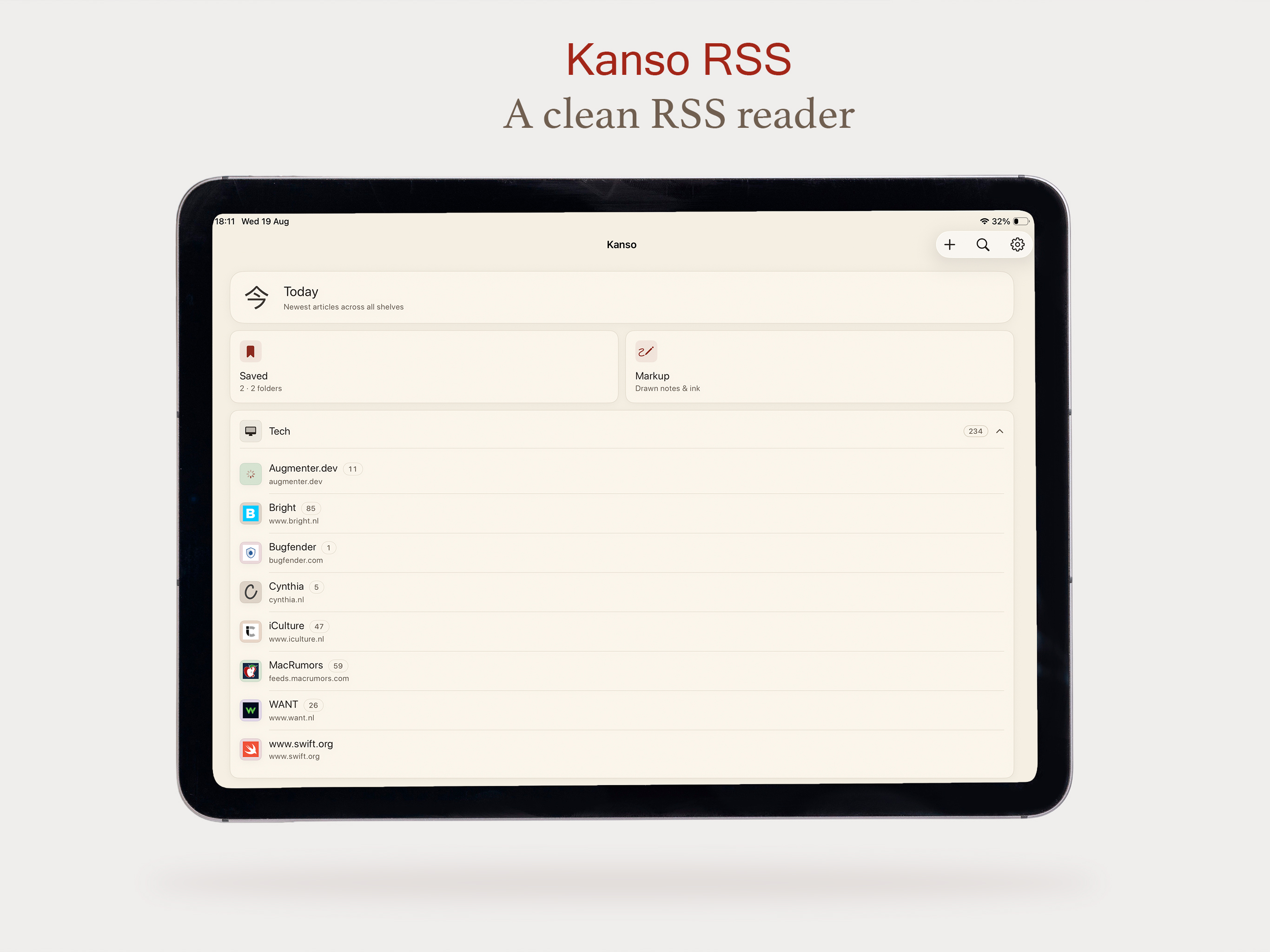
Kanso RSS on iPad — home shelves with Today, Saved, and Markup
A clean RSS reader
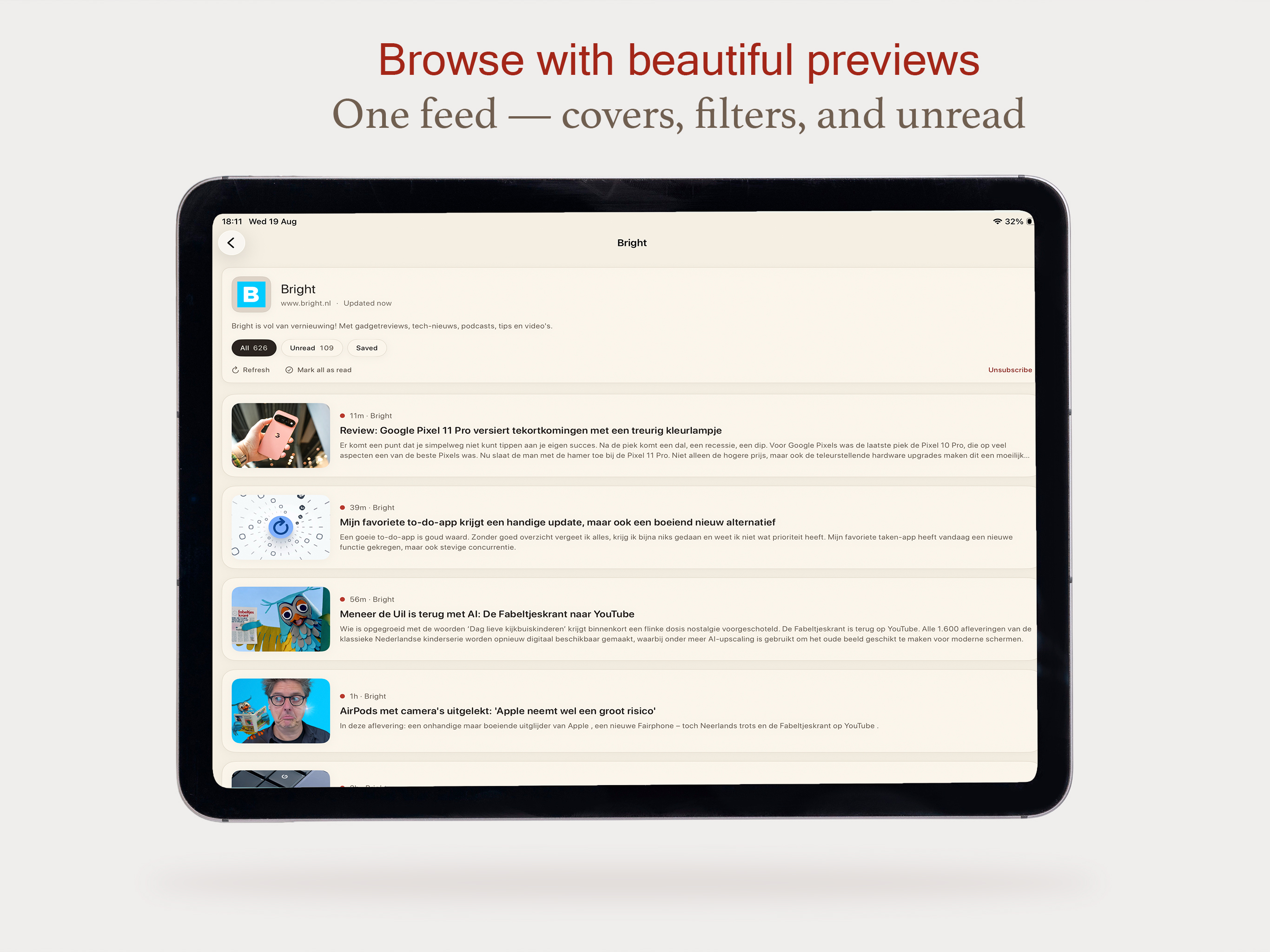
Kanso RSS on iPad — Bright feed with article previews and filters
Browse with beautiful previews

Built with

Tech stack

Local-first Apple frameworks, with StoreKit when extras need a purchase layer.

UI

SwiftUI

Native iOS reading interface.

Local

SwiftData

On-device feed and article storage.

Notes

PencilKit

Handwritten annotation on articles.

Refresh

BackgroundTasks

Quiet background feed refresh.

Plus

StoreKit

Kanso Plus purchases and entitlements.

Web

WebKit

Browser view when a page needs the original site.

Updates

Changelog

  • Tap-to-expand with swipe-through gallery viewing
  • Smarter duplicate filtering
  • Animated feedback for Mark all as read and Refresh
  • Site favicons on your feeds
  • Clearer unread badges
  • Full-row taps throughout
  • Custom swipe actions on feeds and articles
  • Unified reader card with a quieter layout and a wider iPad reading column
  • Smoother shelf collapse without visual glitches
  • Colored feed monograms
  • PDF and text export for marked-up articles (Plus)
  • Smarter cloud sync controls
  • Full-width reader images
  • Smoother article navigation with optimized native paging
  • Notifications — Added a complete notification system with support for app notifications and improved alert han
  • OPML import/export — Easily import or export your RSS subscriptions using OPML files.
  • Smart feed adding — Simply paste a website URL and the app automatically discovers the RSS feed for you.
  • Feed confirmation — Clear success messages are now shown when feeds are added successfully.
  • Settings redesign — The settings sheet has been replaced with a full-page settings experience.
  • Home toolbar improvements — Added new quick-access toolbar actions directly in the Home view.
  • iPhone reader layout — Article text no longer clips at the sides in portrait when swiping between posts.
  • Thumbnails — Feed and reader images stay within their cards; very wide images no longer stretch the layout.
  • Search — Find articles across your whole library by title, author, or feed name (including synced articles). O
  • Per-feed settings — In Edit feed, set options per site: auto-load full article, list thumbnails, and refresh i
  • Initial release with feed discovery, clean reader, and PencilKit annotations.
  • Background refresh via iOS BackgroundTasks.
  • Initial release with feed discovery, clean reader, and PencilKit annotations
  • Background refresh via iOS BackgroundTasks
  • Quiet Focus reading mode and Kanso Plus foundation