Kanso RSS icon

Kanso RSS

iOS iOS πŸš€ Launched β€” 18 May 2026

Why I built Kanso RSS

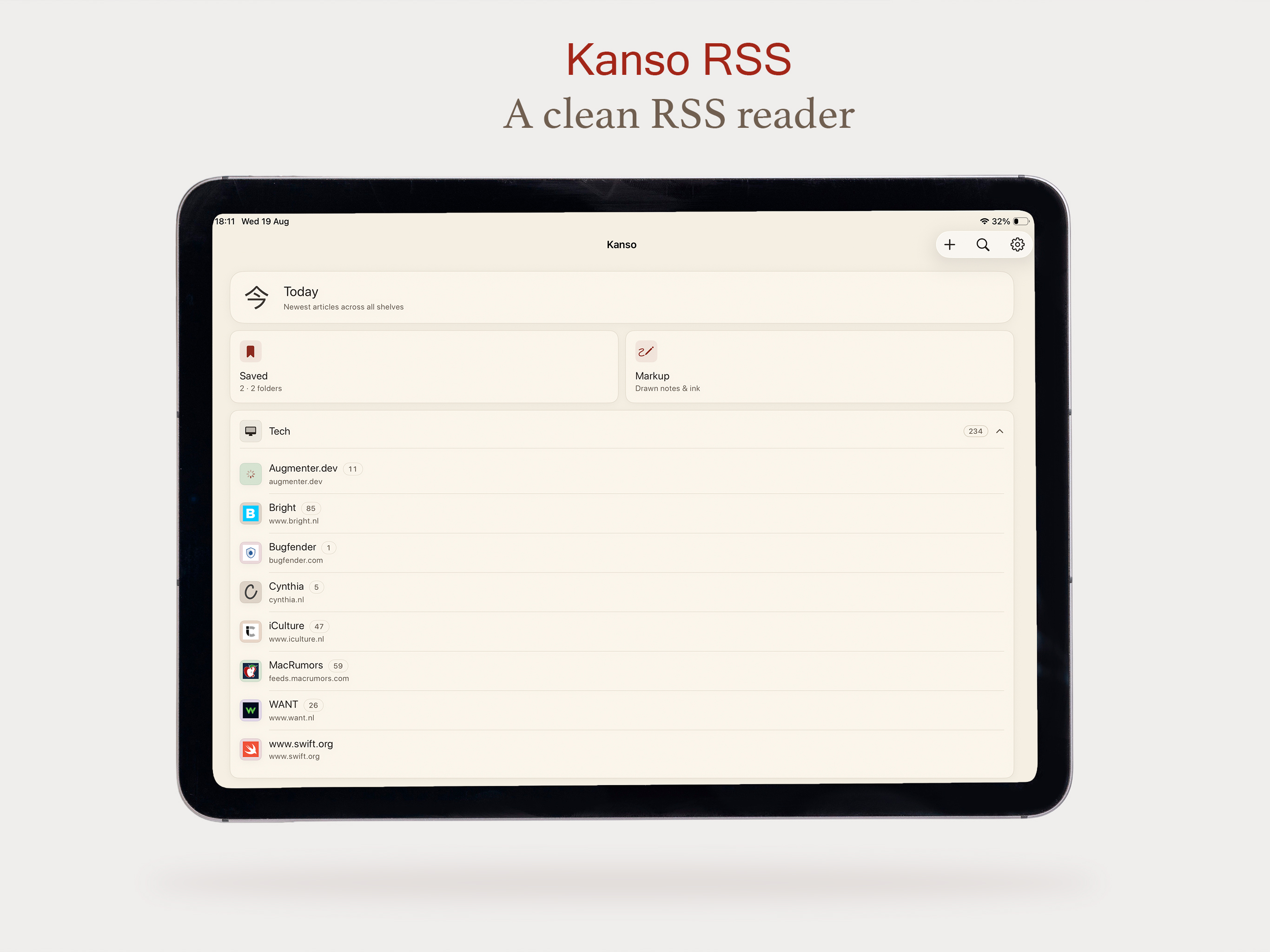
I wanted an RSS reader that feels calm and intentionalβ€”more like warm paper than a noisy dashboard. Kanso focuses on reading and remembering: quick feed discovery, a clean reader, and handwritten notes right on top of articles.

18
Days to Launch
1 May β†’ 18 May 2026
✍️
PencilKit Notes
Apple Pencil + finger

What’s unique about Kanso

Kanso is built for focus. Quiet Focus removes visual noise, the reader keeps typography simple, and articles can become a personal knowledge space with handwritten annotations. If a website has no feed, Kanso Plus can watch pages and discover new posts over time.

πŸ”Ž
Feed Discovery
Paste a URL β†’ find feeds
πŸ‘οΈ
Quiet Focus
Less UI, more reading

iOS Experience

A calm RSS reader for iOS. Discover feeds, read in a clean paper-like reader, and annotate articles with handwritten notes.

πŸ“±

Main App

Add RSS/Atom feeds (or paste a website URL and discover feeds), read in a clean reader, and keep your focus. With PencilKit markup, articles can become a personal notebook.

Feed discovery Clean reader PencilKit notes Quiet Focus
Kanso RSS app icon

Built with modern technology

Native SwiftUI app with offline-friendly storage, PencilKit markup, background refresh, and optional subscriptions.

SwiftUI
Native UI + reusable design system
SwiftData
Local models for feeds + articles
PencilKit
Handwritten markup layer
BackgroundTasks
Background feed refresh scheduling
StoreKit
Subscriptions (Kanso Plus)
Firebase Auth
Apple + Google sign-in
URLSession
Feed fetching + networking
WebKit
In-app article viewing
Combine
Reactive updates + pipelines
Async/Await
Swift concurrency for parsing

App Explorer

Klik op een feature om de app te verkennen

9:41
Kanso RSS+
V
The Verge
Apple announces new…
3
A
Ars Technica
Open-source AI model…
7
H
Hacker News
Ask HN: How do you…
12
D
Daring Fireball
On the state of iOS…
1
S
Swift by Sundell
New in Swift 6.2…
2
9:41
β€ΉThe Vergeβ‹―
Jun 9, 2026 Β· 4 min read
Apple announces new iPad with thinner display and ProMotion at 120 Hz
9:41
Quiet Focus
Apple announces new iPad with thinner display
9:41
β€ΉNotes✏️

Feed List

Alle RSS/Atom feeds op één overzichtelijke plek. Plak een URL en Kanso vindt automatisch beschikbare feeds β€” ook van sites zonder zichtbare RSS-knop.

  • Auto feed discovery
  • Ongelezen badge per feed
  • Pull-to-refresh

Clean Reader

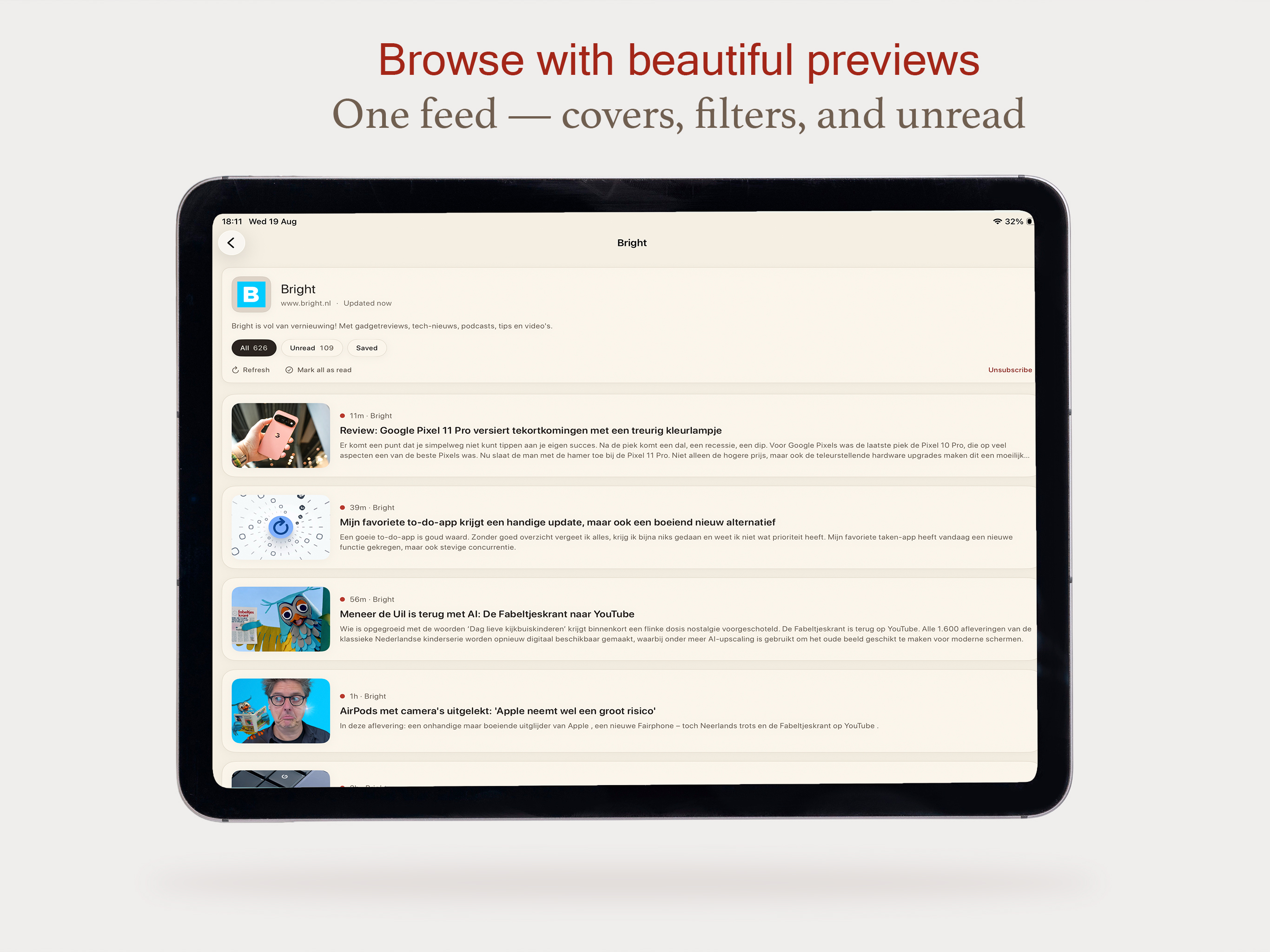
Een warm, papier-achtig leesoppervlak. Geen reclame, geen afleiding. Gewoon de tekst β€” met een aanpasbare typografie die het lezen prettig maakt.

  • Serif / Sans-serif keuze
  • Instelbaar lettertype & grootte
  • Beige papier achtergrond

Quiet Focus

Verberg de volledige UI-chrome en lees in een donkere, minimalistische omgeving. Minder pixels, meer focus. Ideaal voor diepe leesΒ­sessies 's avonds.

  • Volledig donkere modus
  • Geen knoppen, geen afleiding
  • Tap to exit

PencilKit Notes

Schrijf met Apple Pencil of je vinger aantekeningen direct op het artikel. Markeer passages, teken schema's β€” elk artikel wordt een persoonlijk notitieboekje.

  • Apple Pencil + vinger
  • Meerdere kleuren & diktes
  • Aantekeningen opgeslagen per artikel

Changelog

Recent updates and improvements

Version 1.5 30 July 2026 βŒ„

A richer photo experience in the reader. Images now keep their natural proportions, appear in a clean two-column layout when they run together, and stay in the same order as the original article.

Also in this update

  • Tap-to-expand with swipe-through gallery viewing
  • Smarter duplicate filtering
  • Animated feedback for Mark all as read and Refresh
  • Site favicons on your feeds
Version 1.4 29 July 2026 βŒ„

A refreshed paper-and-ink interface across the app. Home now opens with bold Today, Saved, and Markup tiles, shelves live in clean card sections, and feeds, search, and Add feed share the same calm surface language.

Also in this update

  • Clearer unread badges
  • Full-row taps throughout
  • Custom swipe actions on feeds and articles
  • Unified reader card with a quieter layout and a wider iPad reading column
  • Smoother shelf collapse without visual glitches
Version 1.3 30 June 2026 βŒ„

Introducing Paper Seasons, a collection of beautiful paper-inspired themes including Spring, Summer, Autumn, and Winter.

Also in this update

  • Colored feed monograms
  • PDF and text export for marked-up articles (Plus)
  • Smarter cloud sync controls
  • Full-width reader images
  • Smoother article navigation with optimized native paging
Version 1.2 30 July 2026 βŒ„

New

  • Notifications β€” Added a complete notification system with support for app notifications and improved alert handling.
  • OPML import/export β€” Easily import or export your RSS subscriptions using OPML files.
  • Smart feed adding β€” Simply paste a website URL and the app automatically discovers the RSS feed for you.
  • Feed confirmation β€” Clear success messages are now shown when feeds are added successfully.
  • Settings redesign β€” The settings sheet has been replaced with a full-page settings experience.
  • Home toolbar improvements β€” Added new quick-access toolbar actions directly in the Home view.

Improvements

  • Article reader β€” Articles now display cleaner with improved HTML rendering and fewer formatting issues.
  • Images β€” Article photos are displayed more consistently and with better visual quality throughout the app.
  • Reader experience β€” General UI polish and layout refinements across the app.

Fixes

  • HTML rendering β€” Fixed multiple article formatting issues caused by unsupported or broken HTML content.
  • Feed handling β€” Improved reliability when detecting and adding RSS feeds from websites.
Version 1.1 30 July 2026 βŒ„

Fixes

  • iPhone reader layout β€” Article text no longer clips at the sides in portrait when swiping between posts.
  • Thumbnails β€” Feed and reader images stay within their cards; very wide images no longer stretch the layout.

New

  • Search β€” Find articles across your whole library by title, author, or feed name (including synced articles). Open search from the magnifying glass on the home screen.
  • Per-feed settings β€” In Edit feed, set options per site: auto-load full article, list thumbnails, and refresh interval (including manual-only refresh).
Version 1.0 18 May 2026 βŒ„
  • Initial release with feed discovery, clean reader, and PencilKit annotations.
  • Background refresh via iOS BackgroundTasks.
  • Quiet Focus reading mode and Kanso Plus foundation.

Milestones

Key moments in Kanso RSS’s journey

18 May 2026

Latest

πŸš€ Launch

Kanso RSS goes live.

1 May 2026

Development started β€” first SwiftUI prototype and reading experience.

What's Next

Roadmap for new versions and share your feedback

πŸ—ΊοΈ

Roadmap for New Version

Focus improvements, richer feed discovery, and more β€œpaper-like” reading polish. Quiet Focus and Kanso Plus will keep evolving based on real feedback.

πŸ’¬

Share Your Feedback

Have ideas for new features? Found a bug? Want to share your thoughts? I'd love to hear from you.

Email me