After launching JVH Puzzle on iOS, I quickly started getting the same question: "Is there an Android version too?"
My priority was to make the iOS app solid first. Once it was stable, I checked demand again with the community. The response was clear: Android users wanted it too, and many were specifically active in Jan van Haasteren puzzle groups.
That was the moment I committed to the next challenge: a new platform, a new language, and a new development mindset. This is the journey from Swift to Kotlin.
Turning point: Strong Android demand plus clear niche interest in Jan van Haasteren puzzles made the decision straightforward: build Android seriously, not as a quick port.
Choosing Native Over Shared Codebase
When bringing JVH Puzzle to Android, I had a core architectural choice to make:
Option 01
Shared Codebase
Flutter or React Native with maximum code sharing between iOS and Android.
Option 02
Native Per Platform
Swift for iOS and Kotlin for Android, with platform-first experiences.
I chose native development, and that decision shaped everything that followed.
Why Native?
Native means separate codebases (Swift + Kotlin), so yes, more work. But it gives major advantages:
- Platform features: Full access to iOS and Android specific APIs without compromise.
- Performance: Directly compiled apps with no cross-platform overhead layer.
- UX quality: Each app feels natural on its own platform and follows native conventions.
- Future-ready: New Apple/Google platform features can be adopted immediately.
- Growth: Building native forces deeper platform understanding and better technical decisions long-term.
Native development means more code to maintain, but the result is better products that genuinely feel at home on each platform.
The Shared Backend Advantage
While the UI code is separate, I still benefit from shared infrastructure. Firebase serves as the shared backend for both platforms, handling:
- Real-time database synchronization
- Authentication (Google Sign-In, email/password)
- Cloud storage for images and data
Best of both worlds: native UI on each platform, plus a shared backend that keeps puzzle collections synchronized when users switch between iOS and Android.
Building the Android App
The development process started in December 2025, and the app went through a closed beta phase before launching on the Google Play Store in February 2026. Here's how the app evolved:
Learning Android Studio
One of the toughest parts was learning Android Studio. Coming from Xcode, the workflow initially felt overwhelming: project structure, build system, debugging flow, and navigation all worked differently.
I had to relearn how to work with an IDE from the ground up, which was frustrating at times but ultimately worth it.
Biggest friction points
- Different project structure and Gradle build flow
- A new debugging rhythm compared to Xcode
- Navigation and tooling that felt unfamiliar at first
"Xcode still feels more polished and streamlined to me. Android Studio is powerful, but it comes with a steeper learning curve and a busier workflow."
I spent a lot of time simply figuring out where things were and how to do tasks that felt automatic in Xcode. But I kept going.
The closed beta became my fastest learning loop. Between versions 1.0 and 1.8, feedback-driven updates helped me understand Android-specific expectations much better. Over time, Android Studio became more familiar, even if I still prefer Xcode's workflow.
From Testing to Launch
I didn't have an Android device at the time, and I prefer testing on real hardware rather than emulators. So I bought an Android phone and just started building.
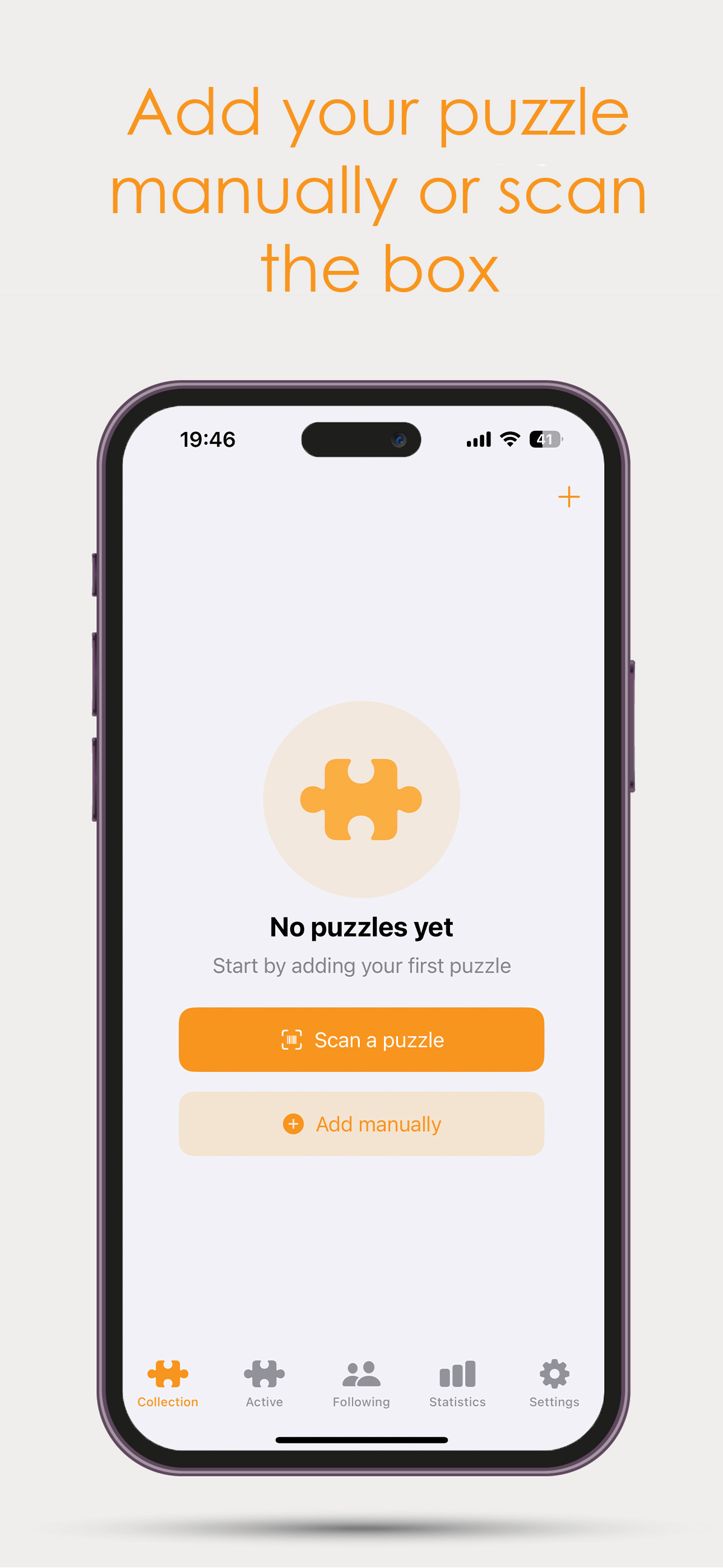
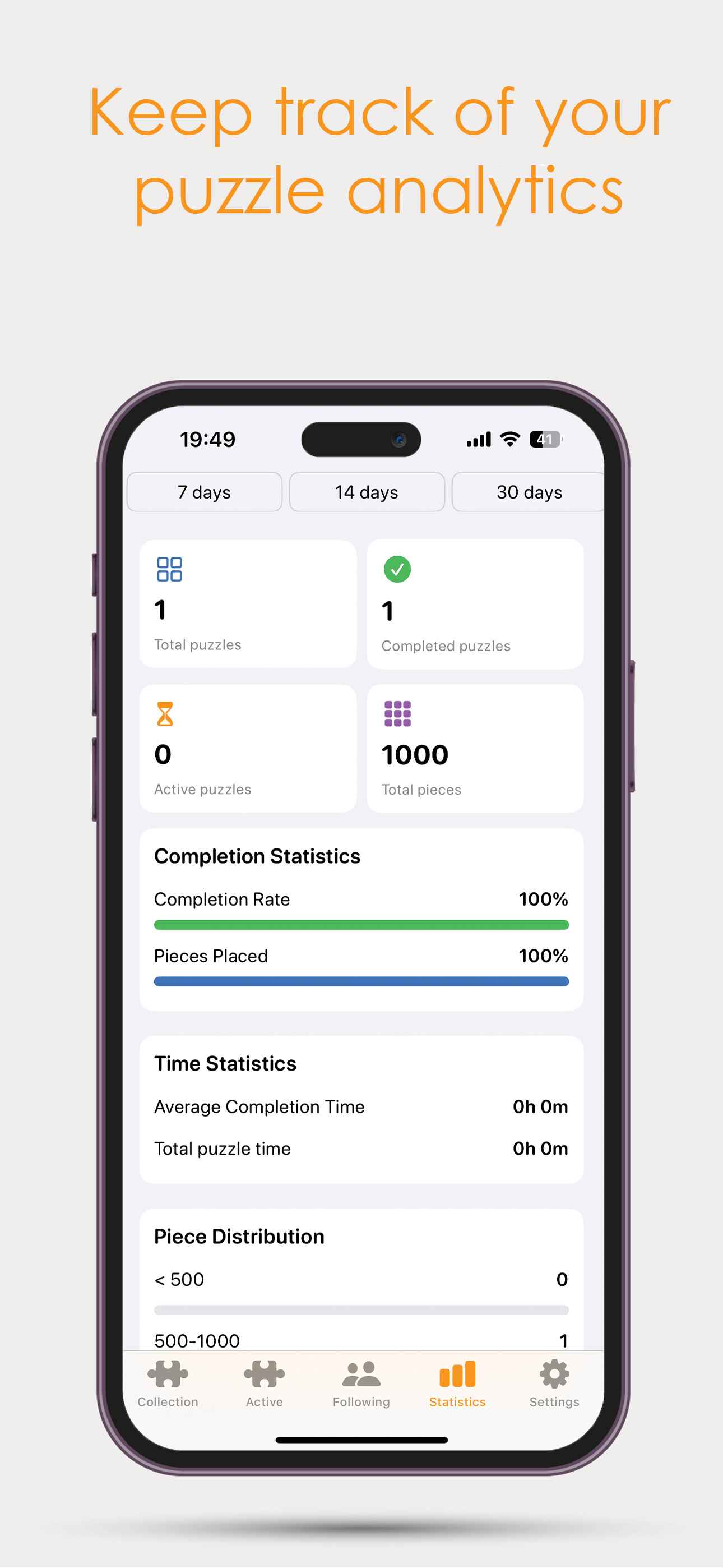
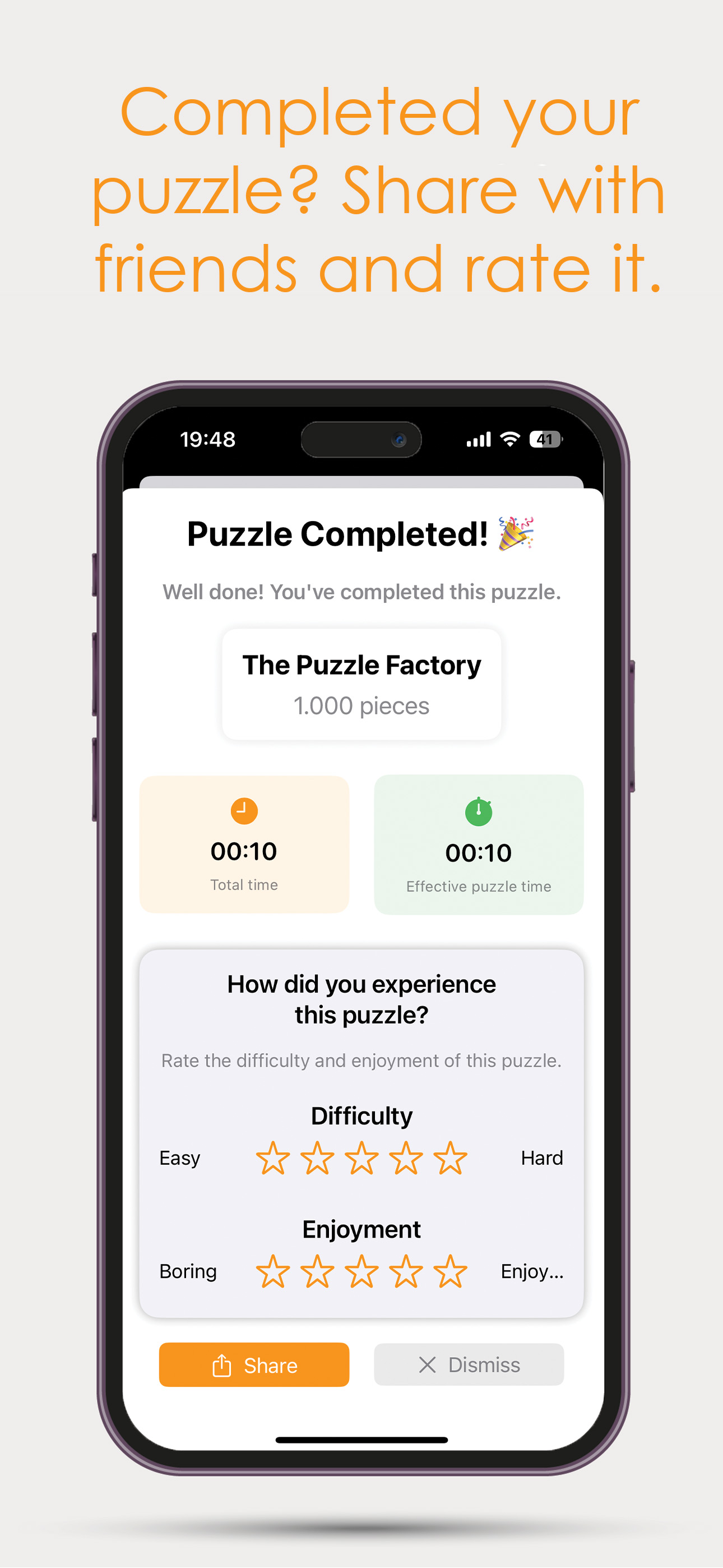
I tested the Android app extensively over about 2.5 months before going live. Having the iOS version as a reference helped tremendously I could see how features were implemented there and convert them relatively quickly. The entire Android development process took about 2.5 months from start to launch.
Publishing to Google Play Store
Once the app was stable and well-tested, I expected the launch to be straightforward. In reality, the Google Play process was much more layered than expected.
Review & Compliance
Google Play now asks for detailed and precise submission information. You need to clearly document how your app handles data, privacy, permissions, content rating, screenshots, and store listing details.
If information is incomplete or inconsistent, your release can be delayed or rejected. It takes careful preparation, but it also improves app quality and user protection.
Launch Timeline
- Closed beta requirement: even after thorough internal testing, the app first had to go through a mandatory closed beta.
- Initial waiting window: before beta could even start, there was an additional 1-7 day waiting period.
- 14-day tester rule: 12 people needed to keep the app installed for 14 consecutive days. If someone dropped out near the end, the countdown had to restart for that spot.
- Post-beta review: after beta, I had to report what I learned, what I changed, and submit again with another review wait.
- Production release: once production track access was unlocked, I uploaded again and waited one more review cycle before it finally went live.
The hardest part was not just building the app, but coordinating timeline dependencies and keeping beta momentum. The process works, but it demands patience and very careful planning.
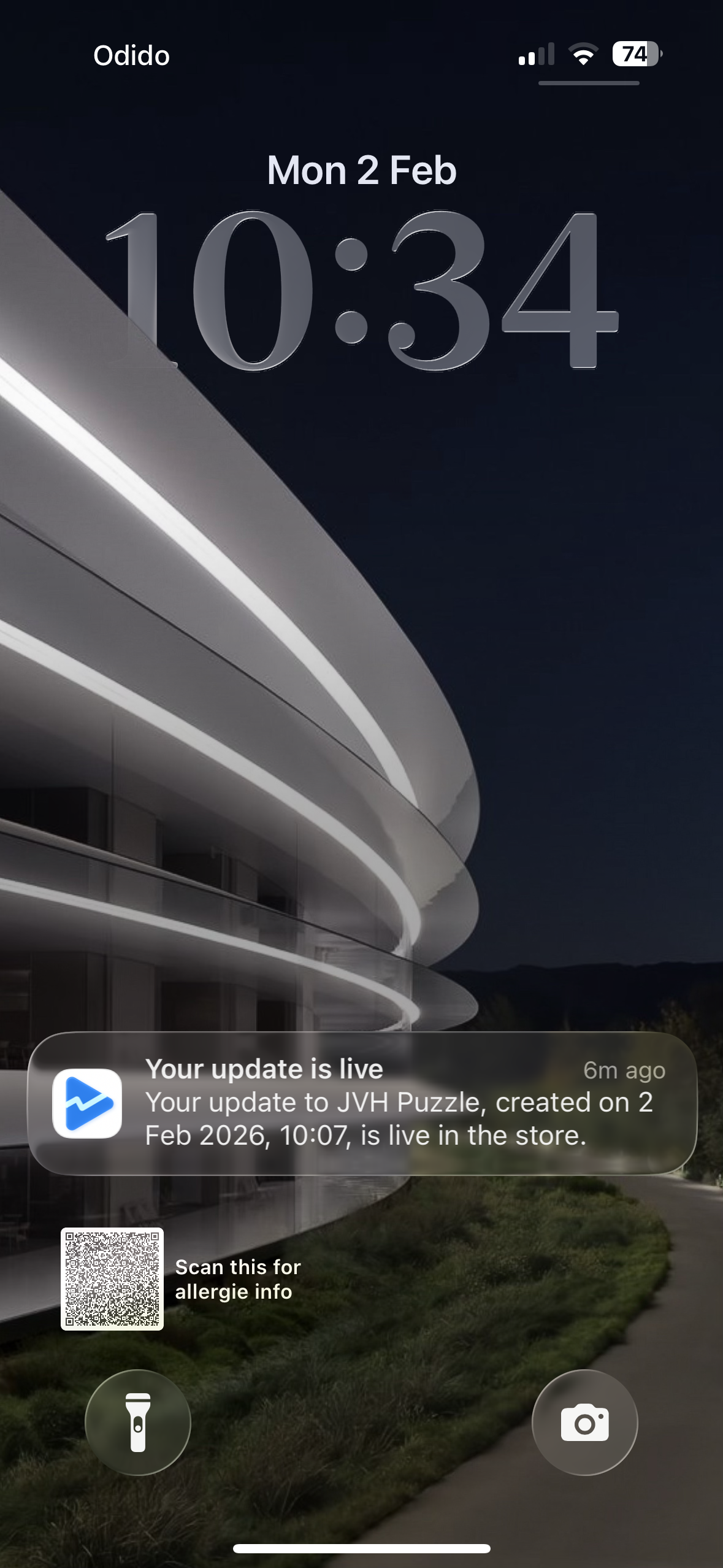
"All that waiting time I find so irritating. The entire process involved multiple waiting periods and multiple rounds of questions before the app could finally go live."
What made this phase difficult was that progress was not only about code quality anymore, it was also about timing, compliance, and coordination. Even small delays in one step could push everything else forward.
Still, the launch itself was a great milestone. Seeing JVH Puzzle finally live on Google Play made the entire process worth it, and it gave me a clear foundation for the next Android updates.
Google vs Apple: A Different Approach
Publishing to both platforms made one thing very clear: both are strict, but they are strict in different ways.
 Apple App Store
Generally faster route to launch.
Direct submit-to-review with fewer pre-release stages.
Less track-switching before production.
 Google Play Store
Staged process with extra checkpoints.
Closed beta and tester retention rules.
Multiple waiting windows and higher operational overhead.
Key takeaway: Apple is quicker operationally; Google is more procedural. Both protect users, but the launch rhythm is very different.
Lessons Learned
Building JVH Puzzle for Android taught me several valuable lessons:
Native Development Was the Right Choice
Choosing native development over cross-platform frameworks like Flutter gave me full access to platform-specific features and better performance. The shared Firebase backend provided the infrastructure benefits while keeping native UI experiences.
Android Studio Has a Steep Learning Curve
Coming from Xcode, Android Studio felt overwhelming and complex. Everything worked differently, and I had to relearn how to work with an IDE. While I eventually got familiar with it, I still prefer Xcode's more intuitive workflow.
Real Device Testing is Essential
I bought an Android phone specifically for testing because I prefer real hardware over emulators. This was crucial for catching issues that wouldn't appear in emulators.
iOS as Reference Accelerated Development
Having the iOS version as a reference helped tremendously. I could see how features were implemented there and convert them relatively quickly, which is why the entire Android development process took about 2.5 months.
Google Play Store Process is Frustrating
The submission process involves multiple waiting periods (1-7 days at various stages), closed beta requirements (12 people for 14 consecutive days), and multiple rounds of questions. This was especially frustrating after thoroughly testing the app myself.
Google vs Apple Approach
Apple's App Store submission process is more streamlined and developer-friendly. You can submit directly to review without multiple tracks and waiting periods, making the entire process more efficient.
Conclusion
Building JVH Puzzle for Android was a journey of learning and growth. Choosing native development over cross-platform frameworks, learning Android Studio (which I found much more challenging than Xcode), and navigating the Android ecosystem was challenging but rewarding. The entire development process took about 2.5 months, with extensive testing on a real Android device.
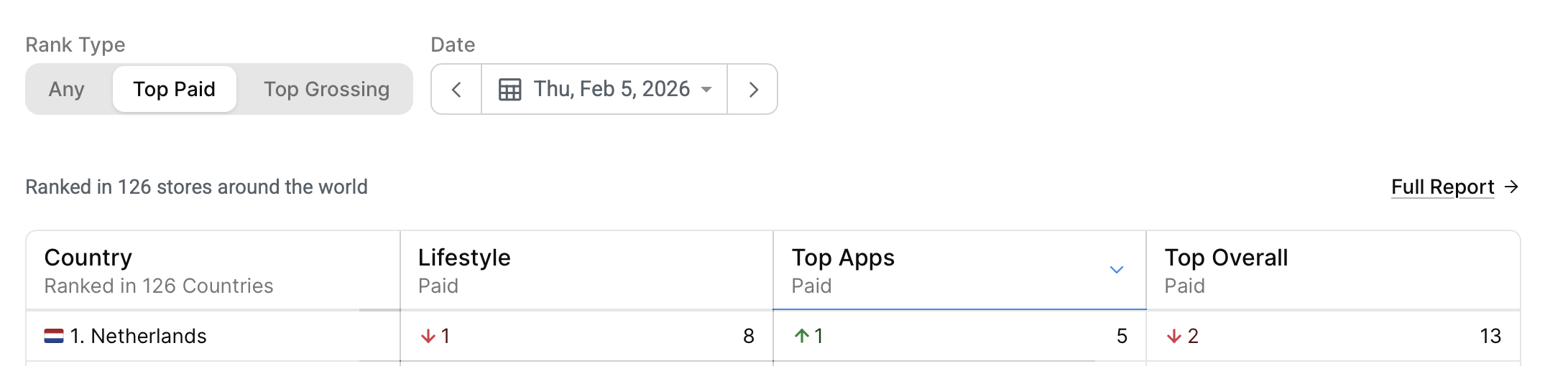
Top 5 in Top Apps Netherlands - 5 February 2026
The Google Play Store submission process was more frustrating than I expected, with multiple waiting periods, closed beta requirements, and multiple rounds of questions. But despite all the hurdles, the app is now live on the Google Play Store, and we've reached Top 5 in Top Apps Netherlands, a milestone I'm proud of.
The Android version brings the complete puzzle tracking experience to Android users, with all the features they need to manage their Jan van Haasteren puzzle collection. And with Firebase handling the backend, users can seamlessly sync their collections across iOS and Android devices.
Thanks for all the feedback and patience from the Android community. As always, please keep sharing bugs or ideas, they help make the app better for everyone.